Easy wireless connect
-
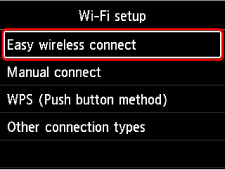
Select Easy wireless connect.
-
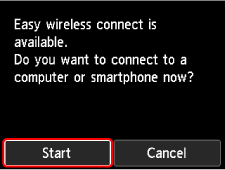
Select Start.
-
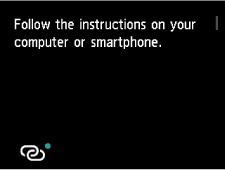
When the printer preparation is complete, the screen below appears.
-
Return to the application software and proceed with the setup.
If performing setup without using computer, smartphone, etc.
-
Download and install software.
- After installing the software, start the software, and then follow the on-screen instructions to proceed with setup.
If performing setup using computer, smartphone, etc.
Windows
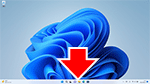
- In the taskbar, click the application software you have been using for setup, and then follow the on-screen instructions to proceed with setup.
macOS
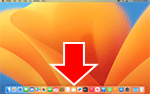
- Click
 in the Dock, and then follow the on-screen instructions to proceed with setup.
 Smartphone/tablet/Chromebook
- Return to the app you have been using for setup on the smartphone, and then follow the on-screen instructions to proceed with setup.
